
Issue: Error occurs when connecting to Excel file
Symptoms:
- Unable to discover table structure.
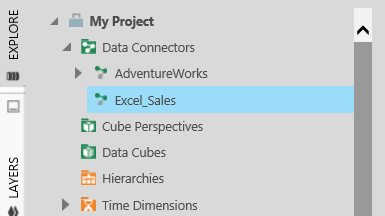
Symptom: Unable to discover table structure. As seen from the screenshot, the expand icon is not available for the Excel Data Connector. - You get the error below when you drag and drop the excel file on the dashboard:
Make sure that you have 64-bit 'Microsoft Access Database Engine 2010' installed.
Symptom: Error after dropping Excel file to dashboard canvas.
Resolution:
- Install the 64-bit Microsoft Access Database Engine 2010 on the server. This can also be installed automatically in the prerequisites screen when deploying an instance.
- Alternatively, you may be trying to use the older .xls file format. If you save this to the newer .xlsx file format instead, newer versions of Custom Analytics or Dundas BI can process this without installing any additional software prerequisites on your server.